
Agentic Inbox
A team inbox with an AI agent that reads, drafts and sends email on your domain.
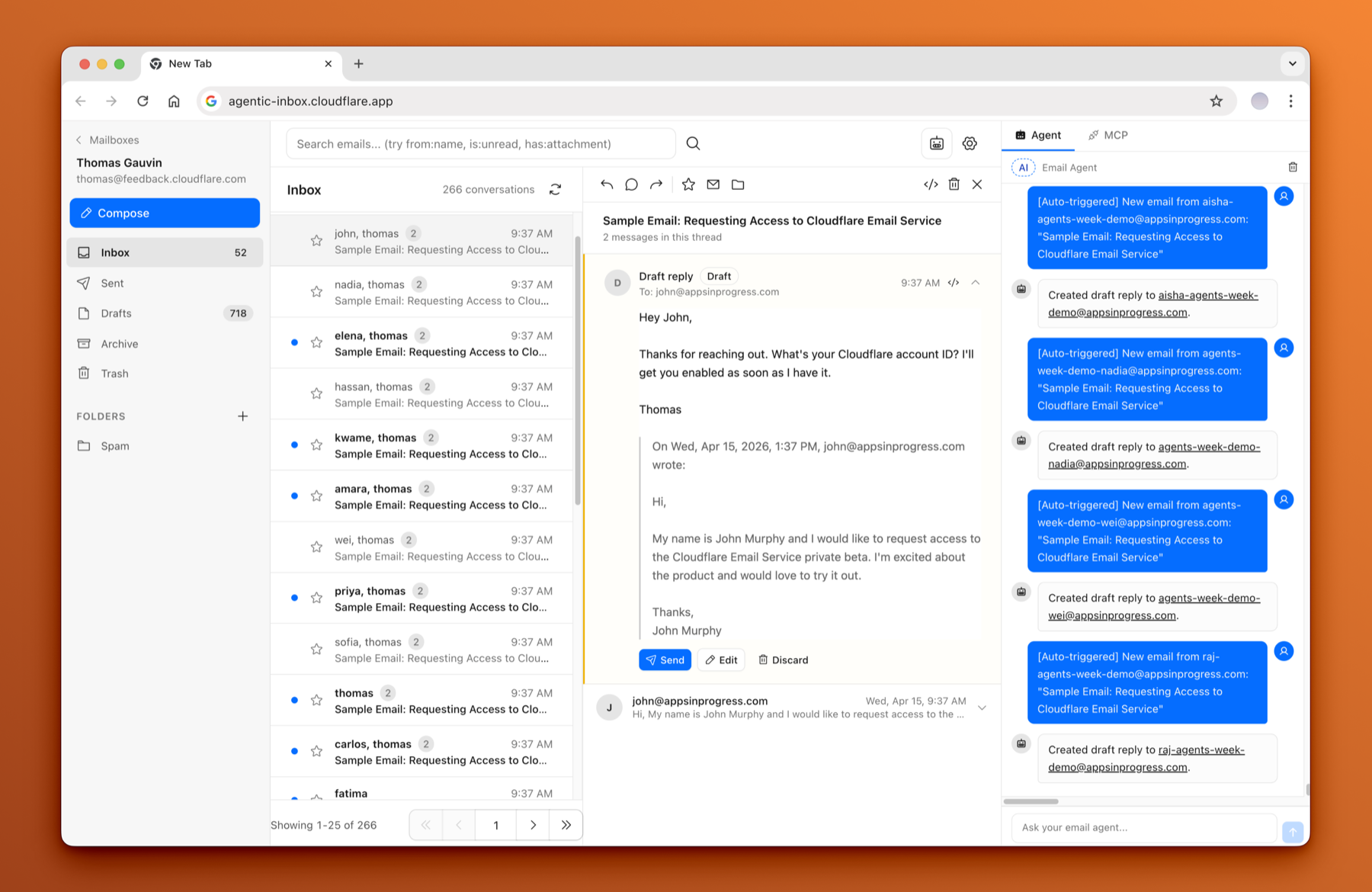
Agentic Inbox is a team inbox on your own domain. Mail arrives through Cloudflare Email Routing, each mailbox lives in its own Durable Object with a SQLite database, and attachments go to R2. An AI agent reads new mail and drafts a reply, and nothing is sent until you confirm. Everyone in your workspace can use every mailbox, in the browser or from an AI client through your Gateway's MCP connector. It is a fork of Cloudflare's Agentic Inbox.
Features
- A full email client. Send and receive on your domain, with a rich text composer, reply and forward threading, folders, search and attachments.
- One Durable Object per mailbox, with its own SQLite storage. Attachments in R2.
- An agent in the side panel, with tools for reading, searching, drafting and sending.
- Auto-draft on new mail. The agent reads each inbound message and drafts a reply; sending always needs your confirmation.
- A custom system prompt per mailbox, persistent chat history, and every tool call shown.
- MCP tools for your AI clients, through your Gateway's connector, acting on a mailbox by its address.
Install
From your EveryApp folder:
pnpm everyapp install https://github.com/every-app/agentic-inbox
pnpm everyapp configure agentic-inbox
pnpm everyapp email set --sender '*@example.com' --inbound '*@example.com'
The second command asks for the keys below. The third tells the Gateway which addresses the inbox sends as and receives for, with your own domain in place of example.com; it offers to turn on Email Routing for the domain. Then open https://agentic-inbox.<your gateway domain> as an owner or admin and create a mailbox. Run the first command again later to update.
| Setting | Held by | Needed | Why |
|---|---|---|---|
A model provider's key, OPENROUTER_API_KEY first | Gateway | Yes | The inbox agent's model, with the prompt-injection scanner and the draft verifier. Any one provider's key is enough. |
EMAIL_FROM and EMAIL_FROM_NAME | Gateway | Yes | Sends mail from the organization's mailboxes on its own domain. The Gateway sends nothing without a sender of its own. |
The app has no keys of its own. A Worker built with AI_PROVIDER=openrouter or AI_PROVIDER=workers-ai pins that provider instead of the Gateway's default; nobody needs that for the install above.
Nothing in Agentic Inbox is public: every page needs a signed-in member. Once installed, every member of your workspace can open it; owners and admins manage mailboxes.
What you need
- R2 enabled on your Cloudflare account, once, before the install.
- A mail domain on Cloudflare DNS, in the Gateway's account, onboarded to Cloudflare Email Sending. A catch-all address (
*@example.com) works only on a domain's apex; mail for a subdomain needs its addresses listed one by one. - A model key. The same key serves the other apps that use AI.
Mail to an address with no mailbox is dropped. Deleting a mailbox removes its settings; its stored mail and attachments stay.
The code
github.com/every-app/agentic-inbox. Apache 2.0. Its docs/EVERY_APP.md is the full runbook.